
Here’s the conversation most aspiring YouTubers have with themselves.
“I’ll start when I get a better camera.” “I need a proper microphone first.” “My setup isn’t good enough yet.”
Six months later, they still haven’t uploaded a single video. The gear never arrived. The channel never launched. And someone else — with a smartphone and decent lighting — built an audience in the time spent waiting.
If you’ve been waiting until you can afford better equipment, here’s the truth: you can start a YouTube channel with no budget — and AI tools make it easier than ever. AI tools have completely leveled the playing field for new creators in 2026. Here’s exactly how to use them.
The Gear Myth That Stops Most People Before They Start
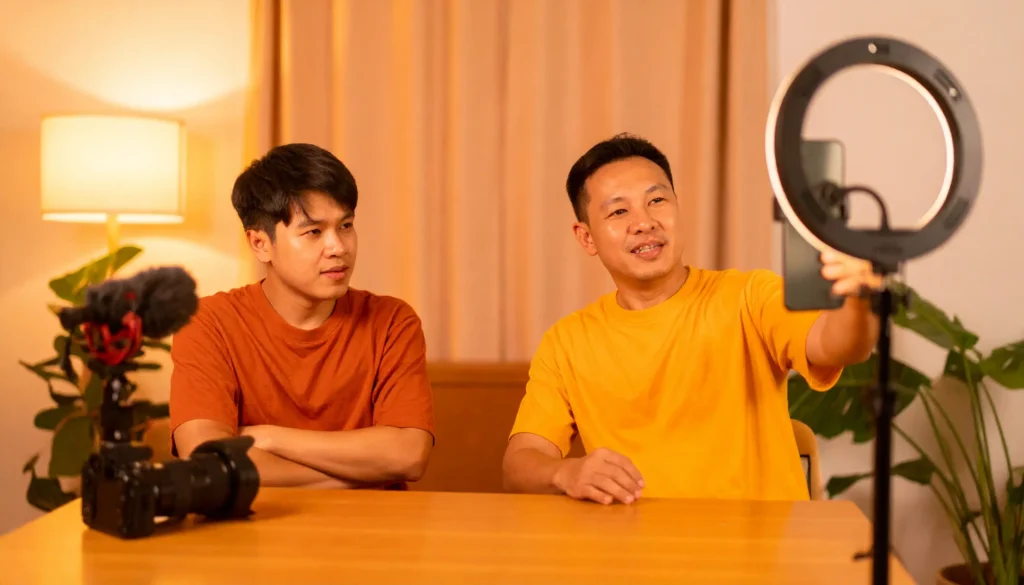
Let’s address the elephant in the room: you do not need a $2,000 camera setup to start a successful YouTube channel.
The most-watched videos on YouTube were not filmed on cinema cameras. Many of the platform’s fastest-growing creators started — and still film — on a smartphone. What audiences respond to is not production value. It’s personality, clarity, and content that actually helps them.
Think about the last YouTube video you watched all the way through. Did you finish it because the color grading was flawless? Or because the person on screen said something that genuinely resonated with you?
The gear myth exists because it gives people a reason to delay. Starting is uncomfortable. Buying equipment feels like progress. It isn’t.
What You Actually Need (It’s Less Than You Think)
Your smartphone is enough
Any smartphone made in the last three years shoots video quality that would have been considered professional a decade ago. 1080p, decent low-light performance, built-in stabilization — it’s all there.
One practical tip: film horizontally for standard YouTube videos, vertically for Shorts. Lock your exposure before recording by tapping and holding on your subject in the camera app. That alone eliminates most of the flickering and auto-exposure issues that make smartphone footage look amateurish.
Free lighting that works
Natural light from a window is genuinely the best lighting available — and it costs nothing. Position yourself facing the window, not with it behind you. Overcast days are actually ideal because the clouds act as a natural diffuser, giving you soft, even light with no harsh shadows.
If you’re filming at night or in a windowless space, a basic ring light costs less than $20 and makes an enormous difference. This is the one piece of equipment worth spending on if your budget allows anything at all.
Audio — the one thing that matters most
Here’s the uncomfortable truth: viewers will tolerate mediocre video quality. They will not tolerate bad audio.
Muffled, echoey, or inconsistent audio is the single most common reason people stop watching a video early. Your smartphone’s built-in microphone is passable in a quiet room, but even a $15 clip-on lavalier mic connected to your phone will dramatically improve your audio quality.
If budget is truly zero, film in the smallest, most carpeted room available. Soft furnishings absorb echo. A bedroom with a wardrobe full of clothes is one of the best natural recording environments you can find.
How AI Changes Everything for Zero-Budget Creators
This is where starting a YouTube channel with no budget in 2026 is fundamentally different from doing it five years ago. AI tools have eliminated most of the skill barriers that used to require either money or years of practice.
AI for scripting and ideas
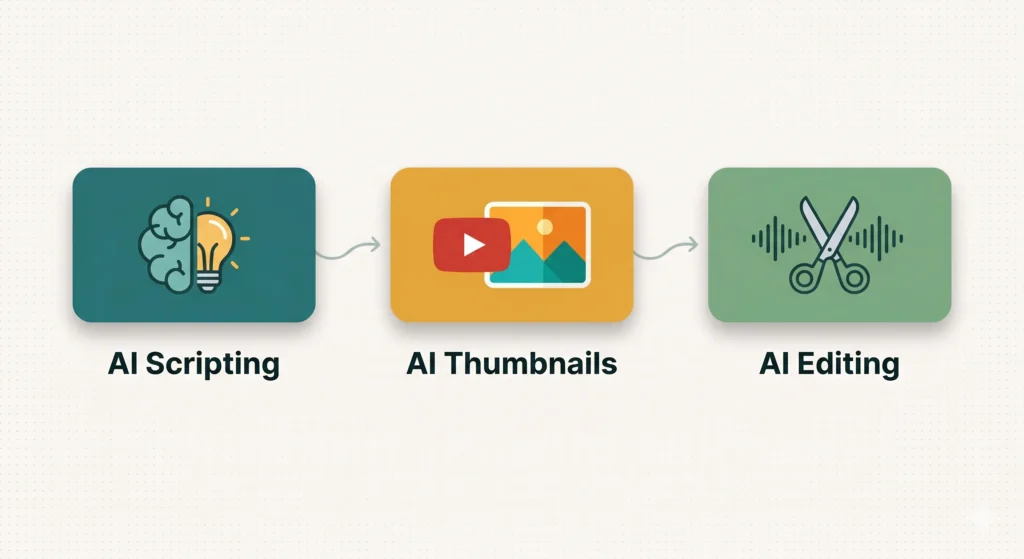
Writer’s block is no longer a valid excuse. AI writing tools can take a topic, a rough idea, or even a single sentence and generate a complete video script structure in seconds. You edit, add your voice, remove what doesn’t fit — but the blank page problem disappears entirely.
For video ideas, AI tools can analyze your niche and suggest angles, titles, and hooks based on what’s currently performing well. The creative work is still yours. The research and ideation legwork is handled.
AI for thumbnails and graphics
Thumbnails drive click-through rate more than almost any other factor on YouTube. A great thumbnail can double your views. A bad one can sink a video that deserves to be watched.
AI image generation tools let you create custom, eye-catching thumbnails without any graphic design experience. Combine this with free tools like Canva for text overlays and you have a complete thumbnail workflow that costs nothing.
AI for editing and captions
Video editing used to require expensive software and months of learning. AI-powered editing tools can now automatically cut silences, remove filler words, add captions, and even suggest cut points — all in a fraction of the time manual editing takes.
Auto-generated captions are particularly valuable. Captioned videos consistently outperform uncaptioned ones in watch time and accessibility. AI caption tools handle this in minutes, not hours.
Setting Up Your Channel the Right Way
Channel name and branding
Your channel name should be simple, memorable, and ideally searchable. Avoid clever wordplay that nobody will type into a search bar. Your own name works well if you’re building a personal brand. A clear topic-based name works better if the channel is niche-specific.
For channel art — your banner and profile image — AI tools and Canva’s free tier give you everything you need. Keep it simple. A clean, readable channel name on a solid background outperforms elaborate designs that look cluttered at small sizes.
Write your channel description with your target viewer in mind. Who is this channel for? What will they learn or get from watching? Answer those two questions clearly and you’ve written a better channel description than most.
Your first three videos
Don’t overthink your first upload. Publish something — anything that represents the kind of content you intend to make. Your first video will not be your best video. That’s fine. Every creator’s early content is a work in progress.
Plan your first three videos as a loose series around one specific topic. This gives new viewers a reason to subscribe — they can immediately see what the channel is about and what’s coming next. Three focused videos signals intent in a way that three random uploads never will.
How to Grow Without Paying for Ads
Organic growth on YouTube comes from two sources: search and recommendation.
Search growth happens when your videos answer questions people are actively typing into YouTube. This means titles and descriptions that include the actual words your viewer would search. Think like your viewer, not like a creator.
Recommendation growth — YouTube suggesting your video after another — comes from watch time and click-through rate. Great thumbnails get the click. Great content keeps people watching. The algorithm rewards both.
Consistency matters more than frequency. One video per week published reliably builds momentum faster than three videos in one week followed by silence for a month. Pick a schedule you can actually maintain and stick to it.
The Biggest Mistake Zero-Budget Creators Make
Spending more time preparing than publishing.
Scripting, re-scripting, reshooting, re-editing — all of it can become sophisticated procrastination. The feedback that actually improves your content doesn’t come from more preparation. It comes from publishing, watching how real viewers respond, and adjusting.
Your fifth video will be better than your first. Your twentieth will be better than your fifth. None of that improvement happens without the uncomfortable act of hitting publish on content that doesn’t feel ready yet.
No budget is never the real obstacle. Starting is.
Your Launch Plan Starts Today
Here’s what to do in the next 48 hours.
Pick one topic you could talk about for ten minutes without notes. Open an AI writing tool and ask it to outline a five-minute video script on that topic. Edit it into your own voice. Film it on your smartphone in the best-lit room in your home.
Don’t edit for more than two hours. Upload it. Write a clear title that includes the words your viewer would search. Design a simple thumbnail.
That’s your first video. It won’t be perfect. Publish it anyway.
The creators who build audiences aren’t the ones with the best equipment. They’re the ones who started.
What’s Next?
You’ve launched your channel. Now the question everyone asks: how much can you actually earn — and when?
In the next post, we break down exactly what YouTubers make at 1K, 10K, and 100K subscribers, with real numbers and no sugarcoating.
👉 Read next: How Much Do YouTubers Really Make at 1K / 10K / 100K Subscribers?