I used to think productive people just had better willpower than me.
They woke up at 5 a.m., journaled three pages, meditated, exercised, and still had energy to run a business before most people finished their first cup of coffee. I tried that version of “the perfect morning” for months. It lasted about two weeks before I crashed.
What I needed wasn’t a stricter routine. I needed a smarter one.
Now I run a simple morning routine powered by AI that takes about 90 minutes, costs nothing extra, and consistently sets me up for my most focused work of the day. I’m a one-person operation — no team, no boss, no meetings before noon. Just me, my laptop, and a few AI tools that act like a very calm, very capable personal assistant.
Here’s exactly what that looks like.

Why Most Morning Routines Eventually Fall Apart
The problem isn’t discipline — it’s friction
Most morning routines collapse for the same reason: they require too many decisions before your brain is fully awake.
What should I work on today? Which task is most important? Did I follow up with that person? What’s happening in my industry right now?
Each of those questions is a small drain. Stack them up before 8 a.m. and you’ve already spent a significant portion of your decision-making energy — before you’ve done a single real thing.
AI removes a lot of that friction. It doesn’t replace your thinking. It handles the tedious pre-work so your thinking can go deeper, faster.
What My AI-Powered Morning Looks Like
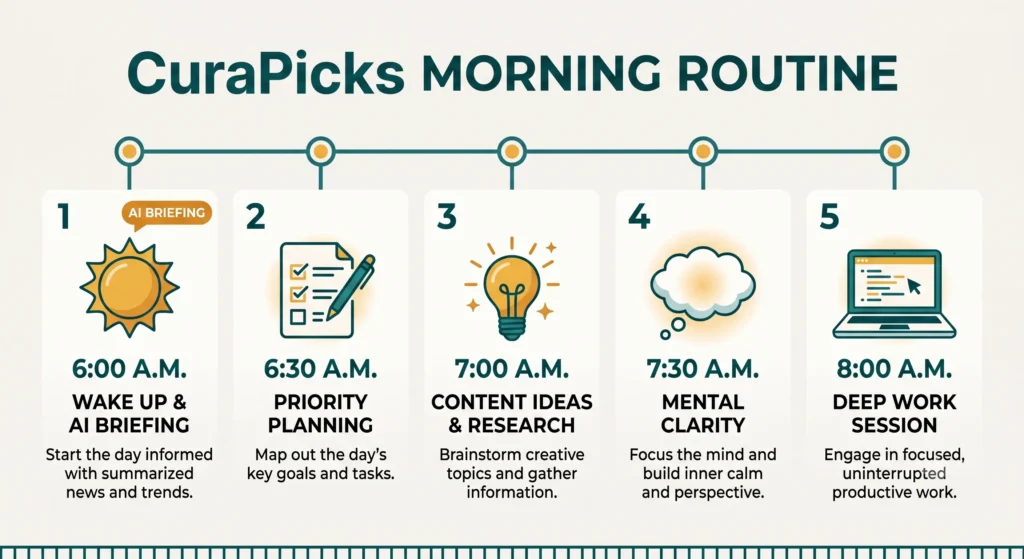
6:00 a.m. — Wake up and get a daily briefing from AI
The first thing I do after making coffee is open ChatGPT or Perplexity AI on my phone. I don’t check social media. I don’t open email. Instead, I ask a simple question:
“What’s happening today in AI tools, solopreneur content creation, and remote work? Give me a 3-bullet briefing.”
That’s it. In under two minutes, I have a snapshot of what’s relevant to my world. Some days it sparks a content idea. Other days I just confirm that nothing urgent needs my attention. Either way, I’m informed without being overwhelmed.
This alone replaced 20+ minutes of aimless scrolling.
6:30 a.m. — Prioritize the day with AI planning
Once I know what’s happening externally, I figure out what I need to do internally.
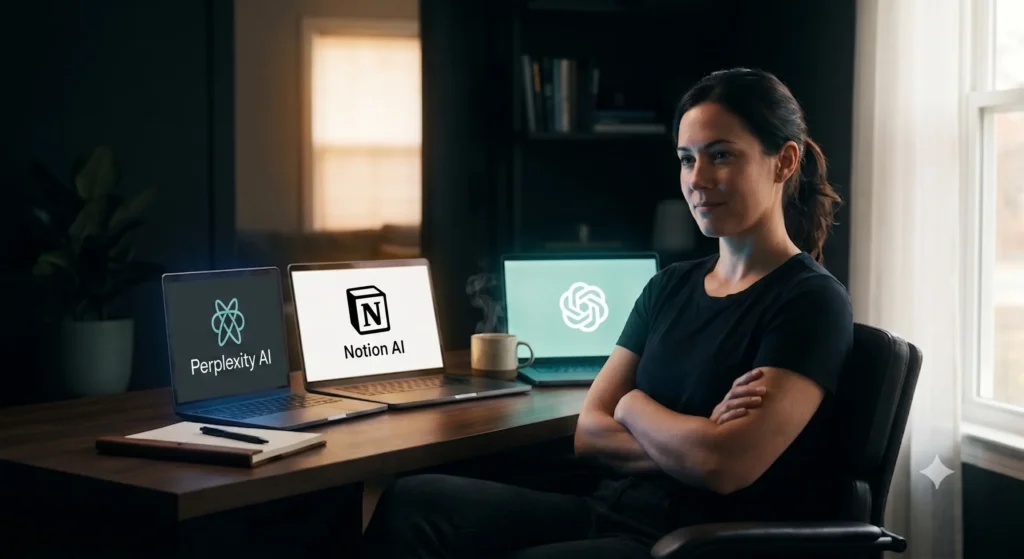
I open Notion AI and look at my running task list. Then I ask:
“Based on these tasks, what are the three most important things I should complete today to move my blog and income goals forward?”
It doesn’t just pick randomly. It factors in what I’ve told it about my goals, upcoming deadlines, and which tasks have dependencies. What I get back is a short, prioritized list.
Most days, it confirms what I already suspected. But every so often, it surfaces something I’d been unconsciously avoiding — and that’s the real value.
7:00 a.m. — Review content drafts and ideas
By 7 a.m., I’ve had coffee, I know what’s happening in my space, and I have my top three tasks. Now I look at whatever content I have in progress.
I use AI here in two ways.
First, I paste any draft into ChatGPT and ask: “Read this and tell me where the logic gets fuzzy or the reader might lose interest.” This gives me fast, honest structural feedback — something I can’t always see myself when I wrote the draft the night before.
Second, if I don’t have a draft, I’ll ask: “Based on [topic I’m exploring], give me five content angles a real reader would actually care about.”
Fifteen minutes of this usually produces either a sharper draft or a clear direction for one.
7:30 a.m. — Clear the mental backlog
Every solopreneur has a mental backlog — the half-formed ideas, the questions you haven’t answered yet, the things nagging at the back of your mind.
I’ve started doing what I call a “brain dump to AI.”
I open a fresh chat and type everything that’s been floating around in my head: half-finished thoughts, questions about tools, worries about strategy. Then I ask the AI to help me sort it.
“Here’s what’s in my head right now. Which of these actually need action today, which can wait, and which are just noise?”
Getting that clarity — even from an AI — releases a surprising amount of mental tension. You go from a buzzing mental to-do list to a clean, tiered one in about ten minutes.
8:00 a.m. — Start deep work, fully prepped
By 8 a.m., I’m ready. Not “I’ll figure it out as I go” ready — actually ready. I know what the day looks like, what I’m working on first, and what I’m not going to touch today.
That distinction matters. Knowing what you’re not doing is just as clarifying as knowing what you are.
I close everything except the one thing I’m working on, and I go deep. The AI-powered morning made this moment possible. Without the prep work, deep work becomes procrastination wearing a productive mask.
The Tools That Make This Work
ChatGPT (or Claude) — your thinking partner
This is the core of the routine. You don’t need a paid subscription to start — the free tier is enough for a basic morning routine. I personally use ChatGPT for conversation-style thinking and Claude for longer, more structured writing tasks. Both are worth testing to see which fits your thinking style.
Notion AI — your second brain
If you already use Notion for task management, Notion AI becomes extremely powerful. It can pull from your existing notes, surface context you forgot about, and write alongside you without switching apps. If you don’t use Notion yet, this routine will give you a real reason to start.
Perplexity AI — fast research without rabbit holes
Perplexity AI is underrated for morning briefings. Unlike a general AI chatbot, it’s built specifically for search — it retrieves current information and cites sources. I use it when I want to know what’s actually happening in the world, not just what an AI thinks might be happening based on old training data.
What I Stopped Doing After Adding AI
Less scrolling, more deciding
Before this routine, my mornings had a consistent feature: I was reactive. I’d wake up, check my phone, start reading about things that had nothing to do with my goals, and eventually drift into work around 9:30 feeling vaguely anxious.
After a few months of this AI morning routine, I noticed what disappeared:
The 30-minute scroll sessions. The “I don’t know what to work on” paralysis. The guilt of hitting noon without having done anything meaningful.
None of those are dramatic changes. But they compound. Over a week, you gain back several hours of focused time. Over a month, you feel like a different person.
This isn’t about being a productivity robot. It’s about removing the noise so that your real priorities actually surface every morning — instead of getting buried under whatever algorithm decided to show you first.
Is This Routine Right for You?
Honestly? It depends on one thing: whether you’re willing to treat AI as a tool you direct, not a service that runs on autopilot.
This routine only works when you show up with clear goals and honest questions. If you paste vague prompts into ChatGPT and expect magic, you’ll be disappointed. But if you’re specific — “My goal is X, here are my constraints, what should I focus on?” — the results are genuinely useful.
If you’re a solopreneur, freelancer, or remote worker who feels like your mornings are chaotic or directionless, give this a two-week trial. You don’t need all three tools on day one. Start with just ChatGPT and one simple daily question. Build from there.
The mornings won’t be perfect. But they’ll be yours — designed by you, not by a notification.
What’s Next?
If this AI morning routine made you curious about what a full productivity stack for remote work looks like, the next post goes deeper. We’re covering the best AI tools, apps, and systems that remote workers are actually using to stay productive across time zones and locations.
👉 Read next: The Best AI Productivity Stack for Remote Workers in 2026